Miyerkules, Setyembre 23, 2015

Lesson 15: Understanding Hypermedia


Ganancial, Estela L. BSEd General Science 4
MW 3:00-5:00 PM
Educational Technology 2


Lesson 15: Understanding Hypermedia


Content


Hypermedia is nothing but multimedia, but this time packaged as educational computer software where information is presented and student activities are integrated in a virtual learning environment. Most educational IT applications are hypermedia and these include:

· Tutorial software packages;
· Knowledge webpages;
· Simulation instructional games; and
· Learning project management

The presentation of information-learning activities in hypermedia is said to be sequenced in non-linear manner which means that a learner follow his/her own path of activities thus favors an environment of autonomy and thinking skills.

Characteristics of hypermedia applications

1. Learner control 
Learner makes his own decisions on the path, flow or events of instruction.
2. Learner wide range of navigation routes 
Learner controls the sequence and pace of his path depending on his/her ability and motivation.
3. Variety of media 
Hypermedia includes more than one media (text, graphics, audio, animation and video clip) but does not necessarily use all types of media in one presentation.

However, hypermedia does not replace life’s experience and learning from nature and life. In the use of hypermedia, the following instructional events will prove useful to the teacher:

· Get the learners’ attention
· Recall prior learning
· Inform learners of lesson objectives
· Introduce the software and its distinctive features
· Guide learning, eliciting performance
· Provide learning feedback
· Assess performance
· Enhance retention and learning transfer


Experience       
             
            Since I am an audio-visual learner, I learn best with the aid of graphics and sounds. I quite understand the lesson well if it is more likely to be accompanied by such illustrations and videos related to the lesson. I remember one particular lesson in my English subject about world literature when I was a 4th year high school student. The lesson was all about Troy. My teacher really wanted us to appreciate and understand it well so what she did was that she let us to have a film viewing about the movie Troy. During the film viewing, she was there explaining the significant scenes in the movie. After watching Troy, I just suddenly appreciated the lesson our teacher was talking about. And that was the time I got fascinated about the literature in the ancient times especially the Greek literature.


Reflection
            It must be bared in mind that students are our aim as a future teachers is to let our future students learn from us. The students learn best when they are highly motivated towards the lesson presented to them. One way is by catching their interests and that is through hypermedia. Hypermedia is perfect for this generation where students are more of audio-visual preferences. However, hypermedia’s effectiveness will still vary on the approaches employ by the teacher in the class. Just see to it that the hypermedia being used should be appropriate to the topic.


Application
            As a future science teacher, as we all know that science are of facts and discoveries. For me science is interesting subject. However, with this situation nowadays where students wanting for more new in science, hypermedia would be very suitable for this kind of lessons. For the students to appreciate science more, graphics and animations should be there in the slides. To understand the science concepts, showing them some videos can be a good approach since a video can tell something which could be best understood by the students.


Lesson 14: The Software as an Educational Resource


Ganancial, Estela L. BSEd General Science 4
MW 3:00-5:00 PM
Educational Technology 2


Lesson 14: The Software as an Educational Resource


Content
                       
The famous computer as teaching-learning tool has two parts: the hardware and the software. Monitor screen, CPU, printer, mouse, and keyboard are some examples of hardware. Programs and applications are examples of software.

Software is a program or a system that tells what a computer machine should do.

There are two types of software:

1. System software- operating system found or bundled inside a computer machine
2. Application software- system for commanding particular task or solves a particular problem
a. Custom software- made for specific tasks often by large corporations
b. Commercial software- exclusive for personal computers

Microsoft Windows

Also referred to as program, Microsoft Windows or Windows for short is an operating environment between the user and the computer operating system. It is also called a shell that creates the way the computer should work. Windows uses colorful graphics in:

· User convenience
· A new look
· Information center
· Plug and play

Instructional software

This instructional software van be visited on the internet or can be bought from software shops or dealers. The teacher through his school should decide on the best computer-based instructional (CBI) materials for the school resource collection.


Experience
                   As for me, software is useful for the teaching-learning process. Just like for example on my part as a college student, I do a lot of requirements and reporting which require me to make slides and encoded outputs. MS Word and PowerPoint are very common software programs for most students. These software programs help me a lot to perform my job as a student. Another example is the experienced I got from my Cell Bio subject. My instructor gave us an application that is virtual in approach. That was very interesting applications because it just like we’re working like forensic experts in solving the crime. We tried analyzing the DNA and so on.


Reflection 
           Computers can’t run or function without this software. Without software, a computer is nothing but just a simple machine to us. If we’ll try to discover more about software, there are actually a lot of software which vary in their applications. The instructional software for example which can be a good aid in the teaching-learning process can work as hypermedia that can help students to learn effectively. But then our use of instructional software should meet its purpose and not for any nonsense things. It is important that we should be knowledgeable enough in using it. Remember that when using such thing should always appropriate to the topic and also to the learning objectives to meet its intended purpose.


Application
                       As future science teacher, instructional software is of great help for me. Since there’s a need to integrate technology in the classroom for the benefit of the students, I’ll only use software if it is needed in my topic. Exploration is one way for me to know more about software. But then there are difficult concepts in in science and so the software that I’ll be using is more of virtual learning so that hands-on activity and problem solving are given emphasis in the learning of the students.


instructional software for science

Lesson 13: Cooperative Learning with Computer


Ganancial, Estela L.  BSEd General Science 4
MW 3:00-5:00 PM
Educational Technology 2


Lesson 13: Cooperative Learning with Computer


Content


Cooperative learning or collaborative learning is learning by small group of students who work together in a common learning task. It is often called group learning but to be truly cooperative learning, five (5) elements are needed:

1. A common goal
2. Interdependence
3. Interaction
4. Individual responsibility
5. Social skills

Advantages

§ Encourages active learning while motivating students;
§ Increases academic performance;
§ Promotes literacy and language skills;
§ Improves teacher effectiveness; and
§ Enhances personal and social development as well as self-esteem

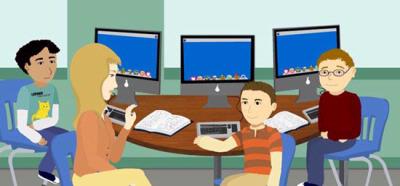
Cooperative learning and the computer

Current studies say that students work with computer in groups, they cluster and interact with each other for advice and mutual help. It says that students prefer to work together in computer-based and non-computer-based activities which is true nowadays. Psychologists think that computer fosters positive social behavior among students.
The teacher has several tasks in order to ensure collaborative learning:

· Assigning students to mixed-ability teams;
· Establishing positive interdependence;
· Teaching cooperative social skills;
· Ensuring individual accountability, and
· Helping groups process information.

It is important also that a teacher should limit learning group clusters so that there can be closer involvement in thinking and learning.


Experience
            I’ve experienced a lot when it comes to cooperative learning. Honestly, I like working in group because it is less burden to the task accomplishment. One example is the experience I had when I was a 4th year high school student. In our computer subject, our lesson was all about basics of HTML and web page making. The lesson was actually very tricky and difficult to understand because we need to familiarize the HTML codes using the notepad. But then, my teacher was very eager to teach us so what she did was that she always prepared a series of hands-on activity somewhat practice and drill approach so that it will be easy for us to familiarize the HTML codes. As an evaluation, she required us to make newsletter in web-based form which really challenged me that time. I was just so happy that she let us worked for it by group and fortunately we’ve made it that good. It was also an advantage to me because I had this group mate who was really in good in art designing.


Reflection
            In this today’s generation, what we aim as future teacher is to make our students learn from us successfully. For me, cooperative learning with computer is one of the most effective teaching approach in this generation because it caters everything. Almost fit for most topics especially in science. In this kind of approach, students are engage in hands-on activity as well as they can relate to the technology because computer is there to support the learning. Students of different interests and intelligences are group together to produce a very good outcome. However, this approach could be best effective when the teacher knows pretty well how to facilitate the cooperative learning in the students. The effectiveness of this approach depend on management and facilitation skills of the teacher.


Application
I believe that learning science will be more fun if students are best engage in hands-on activity while working in group because the diversity of the group members will yield a greater chance of positive outcomes. This approach will be used only when I require projects that need careful planning. As the lesson title suggests that computer is there for support. I guess my future students will work well because the computer favors them a lot anyway. I will just inform them of the limitation while working on group and on computer. I’ll just monitor the progress while they are working on the requirement.   


Lesson 12: Information Technology in Support of Student-Centered Learning


Ganancial, Estela L.  BSEd General Science 4
MW 3:00-5:00 PM
Educational Technology 2


Lesson 12: Information Technology in Support of Student-Centered Learning


Content
            
The idea of student-centered learning is not a recent idea. John Dewey argued for highly active and individualized pedagogical methods which place the student at the center of the teaching-learning process.

Traditional classrooms
In this kind of environment, teacher-centered approach is observable and the leaners are considered as the passive.

The SCL classroom
This suggests the new classroom environment wherein students are at the center of the teaching-learning process.
Generally, the new school classroom environment is characterized by student individually or in groups:

· Performing computer word processing for text or graph presentations
· Preparing PowerPoint presentation
· Searching for information on the internet
· Brainstorming on the ideas , problems, and project plans as needed, the teacher facilitating instruction, also gives individualized instruction to serve individual task

Given this new trend in teaching -and-learning, it must be pointed out, however, that traditional classroom activities—especially in less developed countries—will continue to have a strong place in the classroom. In spite of this setback experienced in some countries, the option has now been opened for the modern teacher to shift gears to student-centered learning.


Experience
            I haven’t experienced such SCL in the classroom way back my elementary and high school years. I was a product of traditional classroom. What I could just remember is the way my teachers in high school taught me those subjects that were mostly presented through discussion and few on hands-on activity. A normal scenario wherein my teacher was discussing everything and we were just there sitting in front while listening to the discussion. The only thing I could remember was the activity we had in Physics which was all about pressure. That activity was actually so fun. However if SCL was introduced that time, the school I had could not afford the IT facilities because computers were very limited that time. Aside from that most students can’t afford to buy such one because it was so expensive. 


Reflection
            We are now facing the digital age where most learners learn best with the help of such technological advancements. For me, SCL with the support of Information Technology is very suitable for this new generation. It will really cater the needs and interests of the learners while engaging in such real life activities. However, we should try to consider the factors as we adapt to this trend like for example the capability of the school to provide such IT facilities that will help the learners. Since K-12 is already implemented, the focus is on students that’s why the school must equip with these IT facilities in order for SCL to be effective. The teachers should also competent also in terms of IT knowledge to guide the students while integrating technology in the learning of the students.


Application
            Our government is now adapting this K-12 curriculum which is an OBE-based curriculum and given the trend on the advancement of the technology, students are of great focus in this curriculum. I will favor SCL if the school could provide the computers for the students. But SCL is perfect for this curriculum however it would function well with the help of computers which are very common tools for students as well as for teachers. It is expected that I’ll be teaching in rural areas where technology is not yet still introduced.  So for me to be able to employ such approach, I’ll try to communicate to some stake holders in the community for the availability of the computers so that students will really adapt to the technological trends while they are learning. 


Lesson 11: The Computer as the Teacher’s Tool


Ganancial, Estela L.  BSEd General Science 4
MW 3:00-5:00 PM
Educational Technology 2


Lesson 11:  The Computer as the Teacher’s Tool


Content

The lesson talks about the significant contribution of constructivism to the learning of the students. Constructivism was introduced by Piaget (1981) and Bruner (1990). They gave stress to knowledge discovery of new meaning/concepts/principles in the learning process. Social constructivism is an effort to show that the construction of knowledge is governed by social, historical and cultural contexts. This was stressed out by Lev Vygotsky that learning is affected by social influences. Dewey, on the other hand, sees language as a medium for social coordination and adaptation.

The Computer’s Capabilities 
With the speed of flexibility and sophistication, the computer can provide access to information, foster creative social knowledge-building, and enhance the communication of the achieved project package.

Based on the two learning theories, the teacher can employ the computer as a/an:
1. An information tool

As an informative tool, the computer can provide vast amounts of information in various forms such as text, graphic, sounds, and video. Even multimedia encyclopedias are today available on the internet.

2. A communication tool 
Internet plays a great part in this function. It serves as a channel for global communication; the computer can very well be the key tool for video teleconferencing sessions.

3. A constructive tool 

Computer itself can be used for manipulating information, visualizing one’s understanding, and building a new knowledge. Example is the use of MS Word.

4. As co-constructive tool 

Students can use co-constructive tools to work cooperatively and construct a shared understanding of new knowledge.

5. A situating tool 

By means of virtual reality (RS) extension systems, the computer can create 3-D images on display to give the user the feeling that are situated in a virtual environment. 


Experience
Honestly, I’ve encountered those functions of computers mentioned above as a student. I owed a lot of my learning and academic achievements with the help of this machine even I don’t have one. Every now and then, we are bombarded with so much paper works that require us to look for references, make slides for reporting and so on.  Most of the activity are through encoding and making slides as well as browsing internet.


Reflection
We can’t deny the reality that computers really affect our way to achieve the learning outcomes as students. It is now actually part of learning because without computers, learning would not be that convenient. Probably, we would find it hard to study especially for compliance of projects or requirements. However, we must know the limitations as we deal through this machine. We should bear in mind that computer must use for educational purposes only and not for anything.


Application
Since I’ll be teaching science concepts to my future students soon, I will not really disregard computer as long as it is always available. With the use of computers, the students will appreciate science more they will be the one who will explore for it more while I’ll just be there to facilitate and guide their learning. Students’ learning would be very effective if technology is integrated in science concepts.

A student actively doing her activity on the computer 


Lesson 10: The Computer as a Tutor


Ganancial, Estela L. BSEd General Science 4
MW 3:00-5:00 PM
Educational Technology 2


Lesson 10: The Computer as a Tutor


Content 
The computer is one of the wonders of human ingenuity even in its original design in the 1950’s to carry out complicated mathematical and logical operations. With the invention of the microcomputer (now also commonly referred to PC’s or personal computers), the PC has become the tool for programmed instruction. Educators saw much use of the PC. It has become affordable to small business, industries and homes. They saw its potential for individualization in learning, especially as individualized learning is a problem since teachers usually with a class of forty of more learners. They therefore devised strategies to use the computer to break the barriers to individualized instruction. 

Computer-assisted Instruction (CAI) 

The computer can be a tutor in effect relieving the teacher of many activities in his/her personal role as classroom tutor. It must be cleared out that computer should not totally replace the teacher’s role. With available of computer and CAI software, the teacher must: 
 -ensure that students have the needed knowledge and skills for any computer activity 
 -decide the appropriate learning objectives 
 -plan the sequential and structured activities to achieve objectives 
 -evaluate the students’ achievement by ways of tests the specific expected outcomes 

Roles of students in CAI as learners: 

-receive information 
-understand instructions for the computer activity 
-retain/keep in mind the information and rules for the computer activity 
-apply the knowledge and rules during the process of computer learning 

Role of computer in CAI activity: 

· Acts as a sort of tutor 
· Provides a learning environment 
· Delivers learning through drill-and-practice 
· Provides feedback 

CAI Integrated with Lessons 

CAI computer learning should not stop with the drill and practice activities of students. In effect, CAI works best in reinforcing learning through repetitive exercises such as students can practice basic skills or knowledge in various subjects. In integrating computer programs in instruction, use tutorial software associated with cognitive learning. 

Simulation Programs 

Simulation software materials are another kind of software that are constructivist in nature. An example is of software is the SimCity in which students are allowed to artificially manage a city given an imaginary city environment. 

Instructional Games 

While relating to low-level objectives, instructional computer games add the elements of competition and challenge. One example is GeoSafari which introduces adventure activities for Geography History and Science. 

Problem Solving Software 

These are more sophisticated than the drill and practice exercises and allow students to learn and improve on their problem solving ability. 

Multimedia Encyclopedia and Electronic Books 

The Multimedia Encyclopedia can store a huge database with texts, images, animation, audio and video. Example is Encarta. E-books also provide textual information for reading, supplemented by other types of multimedia information.


Experience
            During my elementary and high school years, I had few experienced such drill and practice of lessons using computer and I could still remember that was I think on my computer subject. During that time, my lessons from different subjects were not taught only by the aid of computer because computer that time was for computer subject only. My teachers heavily relied on a traditional manner wherein lessons were presented always through discussion and the sessions sometimes were very boring for me. There were lessons in Physics, Math and Chemistry which were very hard to understand and my teachers can’t just find ways to make it more comprehensive for us. During that time also, CAI was not yet introduced in our school because of some factors. The school had limited computers available to the students and some of them were actually not functioning. Aside from that, there were no software programs available that could offer drills and practices appropriate for particular lessons such as in Science, Math, and English Language.


Reflection
            As we all know, computer offers so much for students to be used in their learning process. It should be always bear in mind that computer must not replace the role of the teacher in the teaching-learning process. It will play a role of helping both the teachers and the students. This is most appropriate for lessons that require mastery in order to learn. CAI also caters the interest of students to technology while learning particular lesson. However, this CAI will matter its effectiveness to how extent the teachers facilitate this approach. In addition to that, CAI must also depend on the objectives of the lessons.


Application
            As a future teacher, I should be innovative and resourceful in terms of this approach because not all the times computer are available especially in rural areas. As a future teacher, I should be flexible enough whenever I face such situation. Hopefully, when I’ll be teaching someday I will use CAI if computers are available because some science concepts such as those in Physics and Chemistry are difficult to be understood.